


I love this product! It was super easy to setup and the midi clock between my daw and mpc key 37 is super tight!!
ARREGLAR LA SINCRONIZACIÓN. AÑADIR RITMO.
Disfruta de una generación de reloj MIDI independiente y estable, así como de una libertad total de enrutamiento a través de USB y MIDI de 5 pines, con nuestro plugin de reloj MIDI. Con sus emblemáticos perfiles de shuffle inspirados en equipos legendarios, ofrece un carácter rítmico y una sincronización sólida como una roca sin el coste ni la complejidad de las configuraciones de sincronización por hardware.
 17,587
Más de 16 000 productores
17,587
Más de 16 000 productores
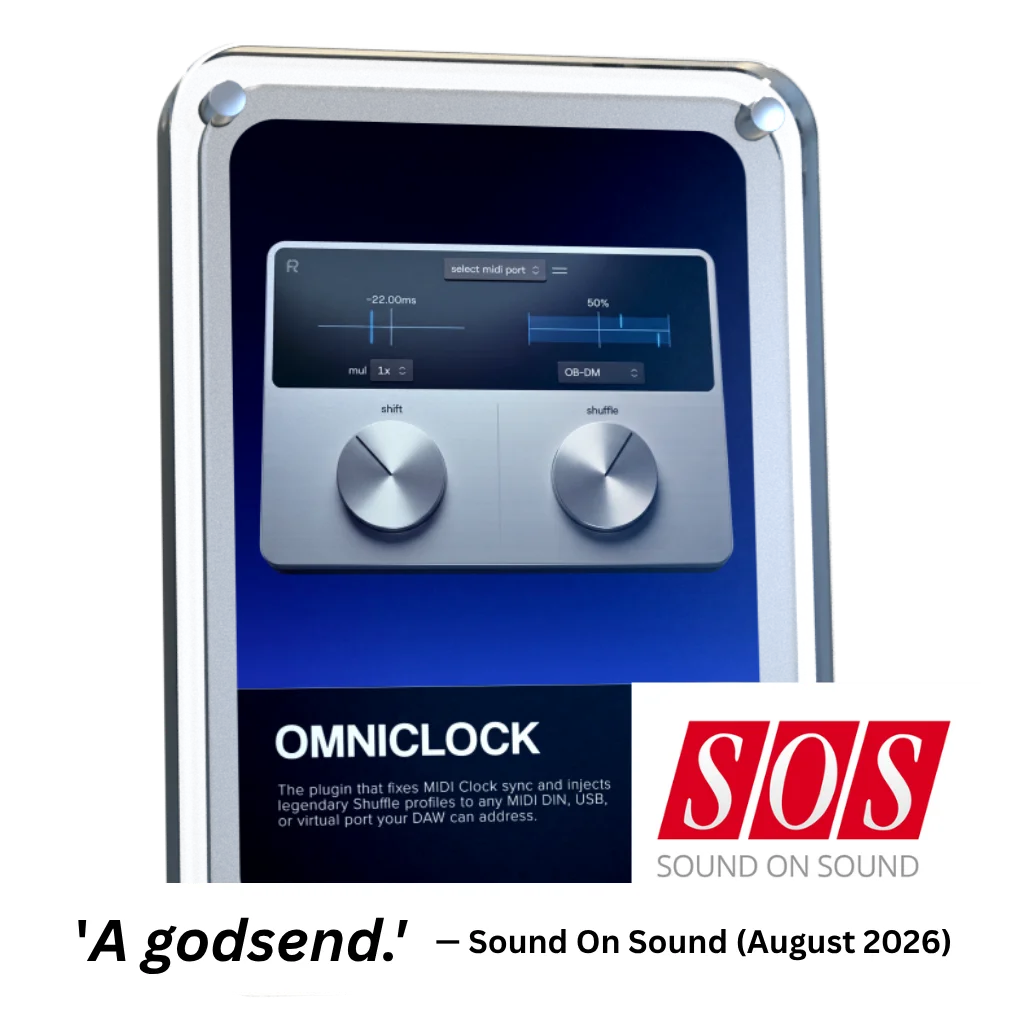


Omniclock proporciona una señal de reloj MIDI extremadamente estable a tu hardware, con un jitter de menos de un microsegundo entre cada tiempo a través de un conector DIN de 5 pines —probado de forma independiente por Sound On Sound (agosto de 2026)—.
Cuando estés listo para ir más allá de la sincronización estándar, solo tienes que activar uno de nuestros legendarios modos «shuffle». Experimenta la «magia» instantánea de los patrones de swing clásicos, perfectamente calibrados para dar vida a tu hardware directamente desde tu DAW.

Cajas de hardware
Omniclock

La función «Shift» te permite ajustar el reloj MIDI para que se adapte a la respuesta de tu hardware, manteniendo todo sincronizado en toda tu configuración.

Shuffle aplica swing al reloj MIDI, dando forma al ritmo en todo tu hardware. Inspirado en secuenciadores emblemáticos, lleva los patrones de shuffle y swing del hardware a tu DAW, incluyendo incluso jitter y drift para lograr la máxima autenticidad.

Las curvas de shuffle, que ofrecen una respuesta precisa en una amplia gama de equipos, optimizan la forma en que se aplica el swing al reloj MIDI. Además, dan forma al groove de maneras únicas, aportando tanto precisión como control creativo.

Dale a cada máquina su propio ritmo gracias a una gestión flexible a través de USB, MIDI DIN y puertos virtuales. Con un desplazamiento preciso del reloj y una recuperación completa de los ajustes del DAW, Omniclock mantiene tu configuración precisa, musical y llena de vida.

Inspirado en el comportamiento rítmico de máquinas legendarias, aporta ese legendario toque vintage de «shuffle» a tu DAW sin necesidad de hardware externo.

Roland TR-909

MFB Tanzbar

AKAI MPC60

E-MU SP-12

AKAI MPC 3000

Oberheim DMX

Linndrum LM-1
Roland TR-909
MFB Tanzbar
AKAI MPC60
E-MU SP-12
AKAI MPC 3000
Oberheim DMX
Linndrum LM-1
Una primicia mundial: plugin de reloj MIDI y shuffle vintage
Funcionalidad completa de Omniclock y descripción general de los patrones de reproducción aleatoria
Cómo utilizar Omniclock con Arturia Beatstep Pro y Torso T-1
Vídeo de configuración con Elektron, Moog, AKAI, Roland, Korg, Torso, Arturia, Behringer, MFB y Nord
Optimiza tu flujo de trabajo utilizando Omniclock con controladores MIDI y replicando tu configuración en varios proyectos de DAW

Inspirado en el comportamiento rítmico de máquinas legendarias, Omniclock devuelve a tu equipo esas sutiles imperfecciones que definen el groove.
Personaliza Omniclock con las numerosas plantillas integradas, diseñadas para distintos entornos creativos. El zoom ajustable garantiza un flujo de trabajo cómodo, centrado y fácil de controlar.

Las configuraciones de hardware tienden a desincronizarse, y una sincronización estricta por sí sola no garantiza el «groove». Omniclock combina sincronización, «groove» y enrutamiento dentro de tu DAW, lo que proporciona a cada dispositivo una sincronización precisa con un movimiento y una sensación naturales.


Overall rating: 4.8 / 5 from 64 reviews.
I love this product! It was super easy to setup and the midi clock between my daw and mpc key 37 is super tight!!

I just love it! Omniclock is so easy to use everything is in sync and the different algorithms breath life into any machine that’s to tight. In this case I’m using it on my LXR-02 and it make its sound even better than it does by it self anyway. Great plugin!

Anyone who syncs hardware synthesizers with a DAW knows the problem: MIDI jitter, latency, and imprecise synchronization that simply lacks groove. It usually just wastes time and frays your nerves. Omniclock offers a radical solution, setting new standards for timing precision. The Omniclock plugin converts imprecise MIDI timecode into an absolutely stable, sample-accurate audio signal that serves as a clock source. The result is rock-solid synchronization that remains steady even in complex setups. Once you’ve heard the difference between a standard MIDI connection and the razor-sharp timing of Omniclock, you’ll never want to go back. Its clear layout lets you achieve perfect results in seconds. Plus, Omniclock offers immense creative potential thanks to a host of integrated patterns from legendary machines—all accessible with a single click. As far as I know, there is nothing else like it on the market, and for that reason alone, this pioneering work deserves five stars. Highly recommended!

No delays, no issues with sync, everything works like a charm!

We needed a rock-solid, cost-effective solution for syncing all the different hardware in the live setup (which is usually a big hassle) for our Saturday Synth Club jam sessions, and Omni Clock works very well, and having all those extra swing flavours is the icing on the cake.

It solves some major sync problems I was having and saved me a bunch of money on hardware solutions. Tried various things but by far this is the best. Great product !!!
Great
This just works. Absolutely love it and so simple to use. Great work 👍
Great developer support them
Sync between daw and external gear can be solved in a few different ways using hardware. Omniclock is indispensable on its own, it even contributes to setups with hardware sync solutions and it adds options like recall and swing on top.
thxxx 😃👍🏻
This plugin is a simple idea that will transform your workflow with hardware and DAW integrated setups. The fact it solves a problem and goes on to apply that creatively is so clever. Great little company.
Why does it not work with usb Midi?
Works as advertised.
Nice, steady clock. Recording multiple tracks in Logic Pro 12 with Omniclock running causes weird glitches, but could be just on my system.
Does exactly what it claims. One thing to watch for if you’re using it live: it occasionally drifts out of sync with hardware for a few bars before correcting itself. I’ve only tested this with an SP-404 MKII, so it may or may not happen with other gear. Worth keeping in mind for live setups.
Wanted something to give more robust and predictable midi clock for my keyboards and synths. Initial tests show definite improvements over DAW clock and not even started to adjust for individual latencies. A great value purchase that does what it says.
As a Eurorack user, I appreciated the simplicity and efficiency of this plugin to bridge the gap between software and hardware.
I was surprised this works so good! Honestly this is a magical plugin and with all the fun amazing hardware out there I can highly recommend to get this for your DAW!!
I finally learned how to use this today. I missed "Disable your DAW's built-in MIDI Clock output on that same port". Now, I could do "Traktor 4" as Tempo Master to synchronized "Ableton 12.4" on my WIN11 PC, and using this plugin, I could slightly random synchronized tempo tuning for "TR-6S" and others. This is really what I wanted ages. Thank you so much!
All locked in and tight !
I haven't used it fully yet. When i've got time i'll send a review thanks.
I'm really glad I bought it! It really tidied up my setup. The synchronization is rock-solid!
This VST Clock works very well. It feels like a good little helper and alternative to hardware clocks. I think that I need more Midi Outs to connect all my hardware proberly and parallel.
I must admit, I did not expect much from Omniclock but I was hoping it would help the sync problems I'm always having with my Virus TI2. However, to my surprise it not only sorted out the virus but also my TD-3. I was suddenly able to sync the internal patterns made in the TD-3 with Logic Pro. This was something I could not do before. Thank you
Solid clock
I was hoping to synchronise my MFB-522 in Logic with it, using its internal sequencer. However, due to some firmware problems of early 522 models, it doesn’t work in conjunction with Logic giving the start transport including a count-in or an empty measure. I always have to correct the shift further back for it to match the beat. I researched this and it’s notorious. I do have a used V1.0, and as the company doesn’t exist any longer, I can’t update the firmware (update files were only sent around via mail). So your software isn’t the problem, but my hardware. Everything else works fine, and I’m sure it will come in handy with my next hardware purchase :)
Super
Great Product, Some thought required when using an ethernet network. But it functions as specified. I felt somewhat railroaded into extra products during the purchasing process but it wasn't a deal breaker.
Cool accessory to add feel !
Didn't know that's possible without hardware, but it works :)
Simply brillant, the old fart that i am can say ‘those annoying sync shits are over’ but omniclock goes beyond my expectations it is a playground for finding new grooves,not that i discover shuffles( i own many drum machines ) but you can simply experiment things without to get into deep programming on each devices which is quite fantastic. Thank You for this!
Noticeable difference in how much tighter external hardware sequencers and arpeggiators are. Filled a need I hadn’t realized was there.
Love it , soo tight
Honestly new to the midi world but had acquired multiple controllers, and this really is an awesome method of clock controlling.
Works well. In my experience, it needs tweaking to compensate for each individual hardware item. I found myself wishing for a facility to store user presets for each device - but maybe there are too many variables in the mix to make this practical (DAW, session, hardware item and other plugins, etc.) However, it's an excellent plugin and deserves to do well.
Very easy to set up and works incredibly well, even with all the external sequencers.
Omniclock is absolutely brilliant!!! It's extremely easy to use and it allows all my external sequencers to lock right in to Bitwig my DAW of choice for real time jams!!! A must have for any producer wanting to run a hybrid setup!!! Bravo Rapidflow!!!
Amazing tool, finally got all in sync.
Great product! I couldn't imagine some hardware can be swing with clock. Please make it be able to change the clock division to /2, /4 and triplets.

Omniclock funciona como un complemento ligero dentro de tu DAW, diseñado para integrarse a la perfección en tu sistema y en tu flujo de trabajo actual.

VST3 de 64 bits

AU de 64 bits, VST3 de 64 bits

Versión para Windows en Wine + conexión de VST3 con Yabridge

No se necesita ningún dispositivo físico de autenticación
Nuestros plug-ins deberían funcionar con cualquier DAW compatible. Los probamos con los siguientes programas:


Overall rating: 4.8 / 5 from 701 reviews.

Love it! Our new go to sequencer. Great for throwing a bit of ‘feel’ in to your loops and patterns. Highly recommend 👍🏻

Omni Grid is very cool, early days of using it but so far I love it, the small amounts of randomization and shuffle that can be applied to anything is something I have been looking far for ages! will post a video when I've finished something. Very exciting!

Amazing

Love it

Very Nice sound

Right! So I’ve had more time to try out omniGRID! I didn’t wait until the end of the trial period to buy it, as this time I was working whilst travelling: I simply used LIVE for a few tracks and LAUNCHPAD X (Novation)! I’ve had some great results… And I’m going to keep experimenting with everything this little gem has to offer! (...)

Finally the good stuff has arrived! Like having an Eurorack sequencer in your DAW thank you so much🔥🔥👌🏻

Omnigrid has all the features that made Minigrid an instant hit. The ability to quickly and easily tweak the midi output so it grooves perfectly for all parts. Omnigrid is the first sequencer I have come accross that perfectly adds euclidean features and normal step sequencing in one interface. Up to 64 steps for any of the 16 tracks shows that this sequencer is intended to be versatile. This sequencer really shines at making your sounds hit the right spot. At present there is no way to record midi or to drop a midi file into Omnigrid to take advantage of the various track controls that transform the midi output. I think something along those lines would be a great addition for a future update.

Such an amazing plugin
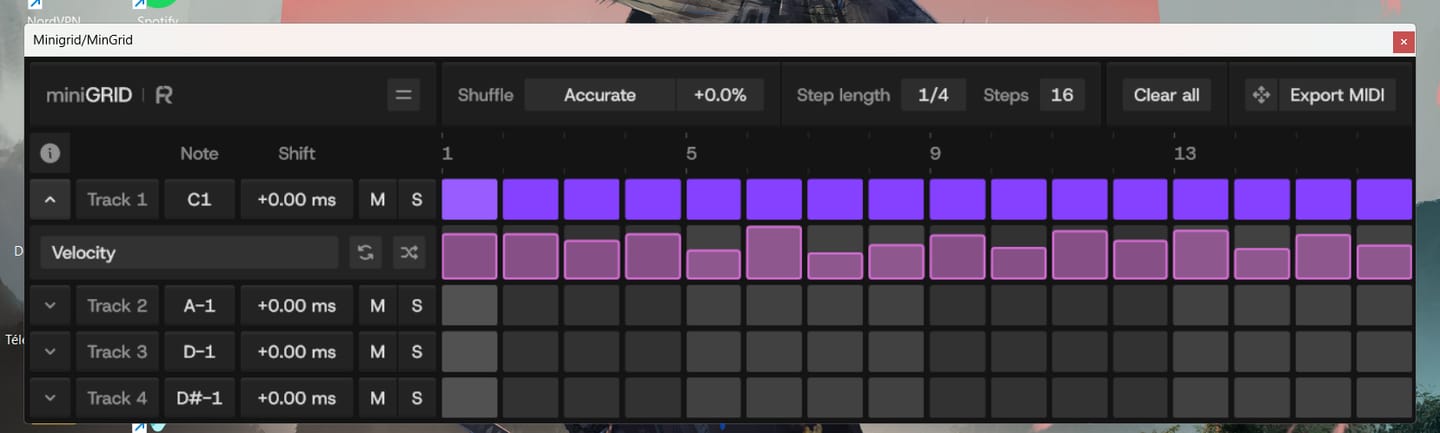
MinGrid is easy to use, and you can quickly create grooves and rhythms. Just be careful if you're using a laptop—make sure to place the VST on the main screen, not the secondary one. It's just for fun—kudos to the Rapid Flow team!!!

I’m so glad I bought this plugin. 😄

Swings like nothing else 😍
AMAZING COURSE, I´VE LEARNED A LOT OF THINGS AND TECHNICS. I REALLY LOVE IT. THANKS ERIK FOR YOUR KNOWLEDGE!

bonn materiel super de sortir de bon vst minigrid
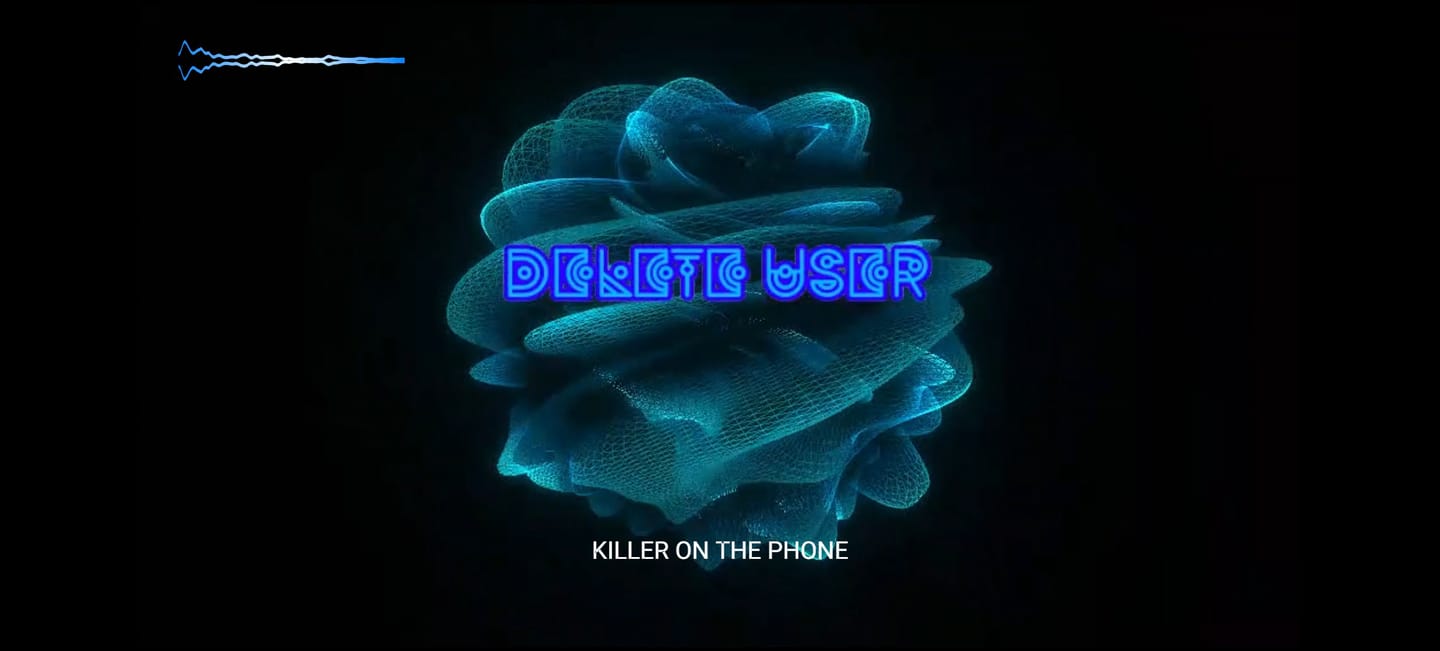
I love all the different movements and colors. I add sphere v3 to each one of my projects now as a visualizer. What I think would be a really cool update would be different shaped to mess with pyramids, cubes, etc. great work so far. I really dig it.

And I also have to say this now that I’ve had the chance to experience Zensphere V2 myself: **this synthesizer is simply divine.** I am genuinely amazed by its sound. There is such a beautiful warmth, depth and character to it that it truly feels like I am listening to real hardware rather than just another software instrument. That warm, analog-like hardware character is exactly what I had been searching for for so many years. The sound feels alive, rich and incredibly musical. Every time I play it, I just want to keep playing and creating. So once again, thank you — not only for your incredible generosity, but also for creating such a beautiful instrument. Zensphere V2 is truly something special. ❤️🙏

Je passe de trés bons moments avec... sà me fait gagner énormément de temps em studio. merci ;o)
Everything Bundle + FREE Zensphere V2

Amazing plugin!!!

Super!

Super!

a great product : You have put the finger in a rabbit hole as the possibilities are endless like as proven by Touchdesigner. This fills a gap of : . VST video plugins for sync to audio . easier programing than other plugins. Improvement points : . more "canvasses" . sharper reactive engine.

You know you've found the right synth for you, when its patches instantly inspire you to create. Well done, Zensphere rocks.

Putting Zensphere 2 to the test.The creator asked for a honest look, so I built a video that gets straight to the point: letting the sound do the talking. In Part 1, I dive into an Ableton session, loading up an Arp. Synths and a Pad using Zensphere 2. You can immediately hear how those multi-sampled analog layers and new processing options translate into a live arrangement. In Part 2, I switch over to a direct A/B comparison against the official release version. No over-explaining needed, just listen closely to how the warmth, texture, and mix-ready nature hold up. Check out the video to hear the difference for yourself.

I am always looking for the sounds that make a Track different and memorable, and putting it in genre's they have not been used in before to see what I can come up with... This Vsti is unique and user friendly ...A must for any in the box producer that can't afford the hardware tools.
I love this product! It was super easy to setup and the midi clock between my daw and mpc key 37 is super tight!!

I already had the first version of Zensphere, and frankly it was already excellent for what I intend to do in my music, but this second version is out of this world! Just the fact that we can raise the modulator wheel is a huge plus, but when we start exploring the filters and reverb, we quickly realize it's much more than just a VST. And together with the DNA Suite, everything becomes easier, more intuitive, and sounds amazing.
I just love it! Omniclock is so easy to use everything is in sync and the different algorithms breath life into any machine that’s to tight. In this case I’m using it on my LXR-02 and it make its sound even better than it does by it self anyway. Great plugin!

I wasn't very hopeful with Omniclock. However, I'd been having timing issues with my Virus TI2, so I thought I'd try it out. Well, it not only improved the TI2's timing but it also made my TD-3 sync it's internal clock instantly with my DAW, which it did not do before. Thank you again.
Anyone who syncs hardware synthesizers with a DAW knows the problem: MIDI jitter, latency, and imprecise synchronization that simply lacks groove. It usually just wastes time and frays your nerves. Omniclock offers a radical solution, setting new standards for timing precision. The Omniclock plugin converts imprecise MIDI timecode into an absolutely stable, sample-accurate audio signal that serves as a clock source. The result is rock-solid synchronization that remains steady even in complex setups. Once you’ve heard the difference between a standard MIDI connection and the razor-sharp timing of Omniclock, you’ll never want to go back. Its clear layout lets you achieve perfect results in seconds. Plus, Omniclock offers immense creative potential thanks to a host of integrated patterns from legendary machines—all accessible with a single click. As far as I know, there is nothing else like it on the market, and for that reason alone, this pioneering work deserves five stars. Highly recommended!

Zensphere V2 is an incredibly creative tool and an absolute must-have for any producer who values authentic analog textures. The absolute core feature of the Zensphere V2 is its incomparable sound character. It brings the punch and premium warmth of a dream analog studio straight to your computer, all within a fast, modern workflow. The sounds are perfectly "mix-ready" right out of the box—they cut through the arrangement immediately, without the need for hours of tweaking with EQ and compression. The visual appearance and interface design (available in either light or dark mode) also deserve high praise. Zensphere V2 is pleasantly uncluttered and by no means overloaded. This masterpiece comes highly recommended and earns a well-deserved 5 out of 5 stars!

What a great update. Loving the visuals, soooo good, tried on a ceiling projector as limited for space in here and decided to make a pepper ghost, why not😜 version 1 , gonna need a bigger dome. Go big or go home. It’s just a joy to have and watch whilst making music and getting the vibe. Would be a great addition if you could fit to screen and maybe lose the white bar at the top 👍

I followed my intuition and put it on black buy purchasing the DNA suite and an AKAI APC40mk2. At first I thought what have I done, it was overwhelming, I have a lot of Ableton experience but in arrangement mode. After a few nights the penny started to drop and the shear power of this system begun to make sense. By Friday (purchased Monday) I was able to live jam and arrangement and record and edit the timing and automation plus add parts after the bulk was done. All I can say is wow, thank you for sharing your knowledge and being generous too
No delays, no issues with sync, everything works like a charm!
We needed a rock-solid, cost-effective solution for syncing all the different hardware in the live setup (which is usually a big hassle) for our Saturday Synth Club jam sessions, and Omni Clock works very well, and having all those extra swing flavours is the icing on the cake.

Nice vibe when jamming in Ableton and can have flubber dance along. Would be improved with a 2d option and being able to set an LFO style modulator rather than purely sound reactive.

Incredibly, it has become a source of inspiration. I've always liked visualizing the music I make in my mind. Now I can see it and even find inspiration in the shapes it creates when reacting to the music. The Lagoon preset is by far my favorite. I wish it had an option for auto-resizing with a double-click on the bar, but it's not a deal-breaker.

I already had the Infinity Bundle and I was having a lot of fun experimenting with new sounds, however something told me it was time for something more and the path would inevitably lead to the DNA Suite. It turned out to be far beyond what I could have expected. It's not at all beginner-friendly, but it has excellent support. From Erik's videos explaining how to map the MIDI controllers and what each one does, to José's patience (the brains behind Omniclock). Now I just focus on letting my imagination run wild and then having fun experimenting a thousand ways to play all the elements until they become a whole. I find myself spending hours playing with little more than a kick, bass and lead because the rest flows naturally. This is a method I wasn't at all familiar with, but it quickly became part of the process.

great evolution for Sphere

It would be very useful if Sphere V3 could be triggered directly from Ableton’s transport, so recording always starts at exactly the same position. This would make it much easier to create multiple visual versions and align them later in any video editing software.
It solves some major sync problems I was having and saved me a bunch of money on hardware solutions. Tried various things but by far this is the best. Great product !!!

