


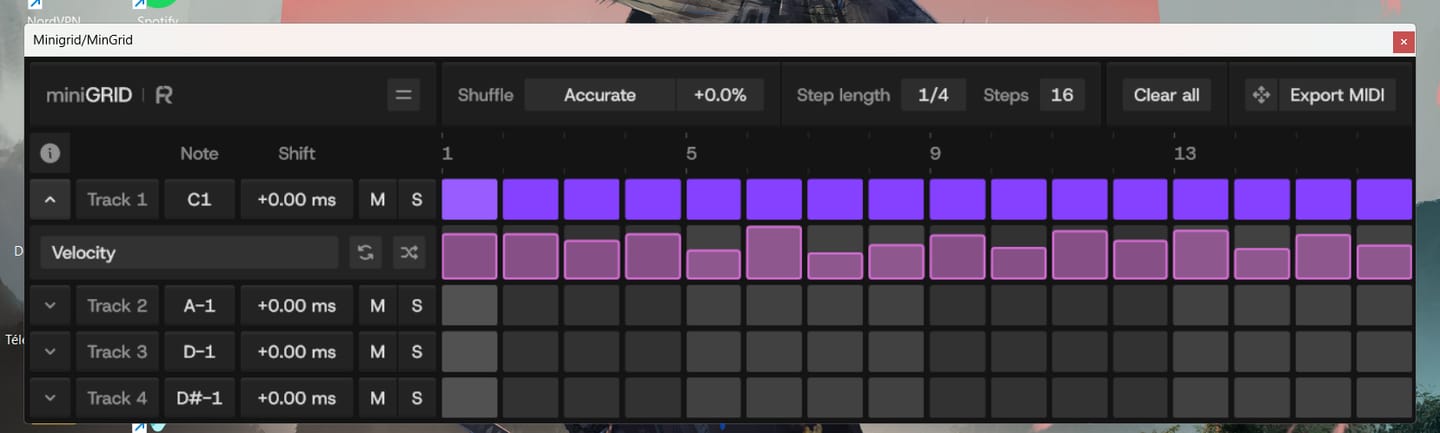
MinGrid is easy to use, and you can quickly create grooves and rhythms. Just be careful if you're using a laptop—make sure to place the VST on the main screen, not the secondary one. It's just for fun—kudos to the Rapid Flow team!!!
MICRO-SHIFT. MAXIMUM GROOVE.

miniGRID is a 4-track MIDI sequencer VST3 / AU / AAX plugin for building drum patterns fast, with shuffle control and per-sound time-shifting to nail the groove, plus the ability to trigger external synths and hardware instruments via MIDI.
 17,534
producers
17,534
producers
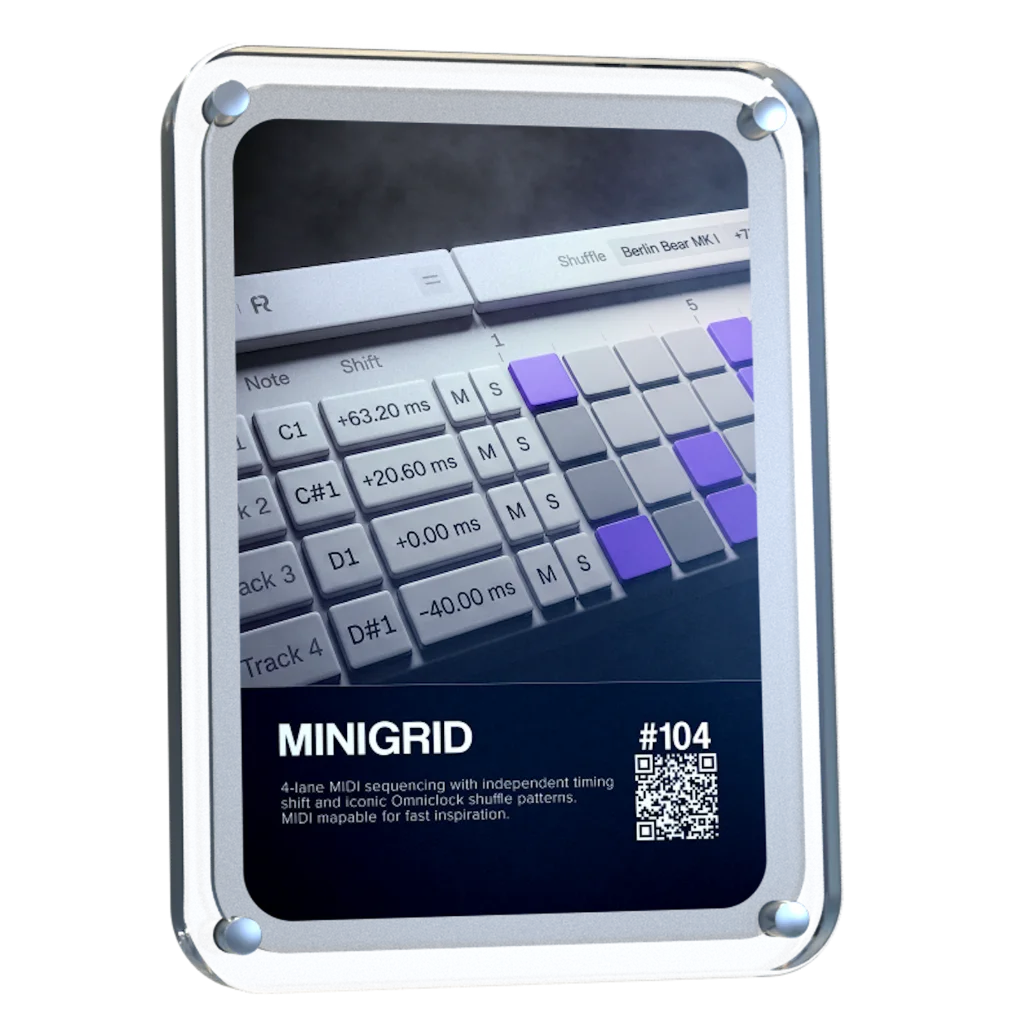

MiniGRID combines step sequencing with precise timing and groove control. Build patterns across 4 MIDI lanes, then push, pull, and shuffle notes to shape how every sound sits against the beat.

The most-requested miniGRID features are finally here. Shape every step with dedicated Velocity Lanes, randomize velocity to discover new grooves, and drag or export your MIDI directly into your DAW to keep creating. The update is free for all existing miniGRID users.

Control the timing of every lane independently. Push or pull notes until each sound sits exactly where it feels right against the beat.

Bring the signature Shuffle patterns from Omniclock directly into your sequences. Choose a pattern, dial in the amount, and add movement and groove to patterns that would otherwise sit straight on the grid

Minigrid sends MIDI into compatible software instruments, letting you build and shape sequences using the sounds already in your setup.


Standard Sequencers
miniGRID

Inspired by the timing behavior of legendary machines, bringing legendary vintage shuffle feel into your DAW without external hardware.

Roland TR-909

MFB Tanzbar

AKAI MPC60

E-MU SP-12

AKAI MPC 3000

Oberheim DMX

Linndrum LM-1
Roland TR-909
MFB Tanzbar
AKAI MPC60
E-MU SP-12
AKAI MPC 3000
Oberheim DMX
Linndrum LM-1
World’s-First: Vintage Groove & Step Sequencer Plugin


MiniGRID brings the micro-timing and shuffle workflows of external MIDI clock gear directly into your DAW, giving you total groove control without adding another box to your desk.
Customize miniGRID to fit your workspace with clean light and dark interface modes and flexible UI scaling, keeping your sequencer clear and easy to use at any screen size.


Overall rating: 4.9 / 5 from 40 reviews.
MinGrid is easy to use, and you can quickly create grooves and rhythms. Just be careful if you're using a laptop—make sure to place the VST on the main screen, not the secondary one. It's just for fun—kudos to the Rapid Flow team!!!

Swings like nothing else 😍

bonn materiel super de sortir de bon vst minigrid
I’m always sliding midi or audio slightly off the grid. This makes the process much more immediate and easier to do with several channels simultaneously to dial in the whole groove.
Still learning to get the most out of it
What more can I add? Does what it says on the tin and does it very very well! I would also recommend getting omniGRID as well
Super matos, j'adore
Loving it!
Gives instant groove to your drums. Easy mapping in Ableton. In the future i would like more than 4 tracks on the minigrid.
wow awesome...want to get omnigrid now
At first I thought what on earth? But after figuring out from one of your videos that you were sending the VST to another channel I was like wow! Yes, your VST is very unique even though there are plug-in such a Cthulhu which might do arps, I’m glad I ordered it because I found out now you have a new device which has the arp built-in with more features and discontinued the mini version, I wouldn’t have done that I would’ve continued that product if I were you but that’s left up to you I guess, I do believe you would’ve sold this product. Maybe explain it a little bit more because you’re sort of like explaining it on your terms what you have with your DNA kit et cetera which I have myself., trust me. I know what I’m talking about here I’ve been producing music over 30years and I am studying currently with Hofer to earn my bachelors degree in audio engineering..
The various shuffle modes are great ! I use minigrid on every drum track. I am happy with it!
I actually haven't had a chance to try it yet . I give it 5 stars because of where it came from . Everything you put out there is amazing. Thank you
Increible
Hear your midi events groove instantly. Easy to use, setup and get instant results. Simple but powerful
Super helpfull creating new ideas 🙏🏾
Plugin i was waiting for a long time.
MiniGRID already has the feel of a tool built by someone who really knows the subject. The millisecond-level shift per lane, the groove control, the shuffle — these aren't boxes checked off a list, they're real musical intent. You're not just building a sequencer, you're building a way to let the machine breathe. That's exactly the kind of detail that separates a passion project from a generic one. The fact that you're thinking about the *why* — how a note sits against the beat — shows you're going for the feel, not just the function. That's the hardest thing to get right, and it's what gives an instrument a soul. Keep going. Every iteration is going to sharpen that feel. The idea is there, the direction is good — now it's the patient work that'll turn a strong concept into something people want to keep open for hours. Can't wait to see where it goes.
It actually brings new ideas and rhythms to my synths and drums. Especially I like using to experiment with the randombutton for velocity and the results... Nice.... :-)
Innovative and easy to use plugin. Very helpful. Thank you! :-)
Missing triplet grid
lets' groove!
Excellent
I have not played around with it as much as I would like too. Considering that I am taking some new medicine and I have to be attentive to me be careful with symptoms. That I may have at some point. I know that this is not the review that you are looking for but the plug-in sounds terrific and is awesome with everything amount of detail.
le service de support est incontestable le lien n'est pas en service ... très bien en vidéo mais en réalité très compliquée a avoir un support ... sur leur page le lien support ne marche pas ????
Bitwig fantastic Pro tools - had to have it b4 other plugins, I figured it out Luna - haven’t tried yet
Perfect!
Still getting to grips with this plugin but just loving the potential
I only wish it had more outputs.
Love the timing nuance the Minigrid provides
Super good idea, very well implemented. I use and love it. :)
Simple, yet brilliant!
Please make this Plugin Support velocitty, that’s all is missing ! Thanks!
For an intro version, I'm enjoying being able to nudge timing of notes using this VST mapped to my controller. Looking forward to what will be added in future releases
Great!
It’s ok. Not worth the asking price as it does t bring much to the table.
I used to have an SP1200. I would still rather have it, but I had to sell it because I needed the money. The quality of the sequencing groove in that machine is equal to its sound. Once again, I have that groove back, plus so many more. When people justifiably favour outboard instruments and sequencers over ITB/DAWs, the sound is often the hero, but the groove and timing are a big part of that feel. So this is just what I needed as the best compromise, and I could not understand why it had not been done before. As I have wished for this for many years, finally! Thank you
It a great addition to my workflow and inspires new ideas when using it. Songs I’ve worked on have a more professional vibe thanks to the swing you can change per sample. Great job!
Great addition to help speed up my workflow!
Amazing device! Awaiting for the updates with probability,velocity and randomization functions!🙏

miniGRID runs as a lightweight plugin inside your DAW, designed to integrate seamlessly with your system and existing workflow.

VST3 64-bit

AU 64-bit, VST3 64-bit

Windows version on Wine + bridging VST3 with Yabridge

No physical dongle necessary
Our plug-ins should work with any compatible DAW. We test against the following:


