


I’m so glad I bought this plugin. 😄
Crea con facilidad aquello que te apasiona.

SINESTESIA EN UN PLUGIN
✅ Reacción al audio: elige la banda de frecuencia y el objetivo
de modulación ✅ Función de grabación: captura tu audio y vídeo directamente desde el plugin
✅ Modulación DAW y asignación MIDI: asigna parámetros de Sphere V3 desde los LFO de tu DAW, controladores MIDI, etc.
✅ Compatibilidad universal: compatible con hosts VST3, AU y AAX (*No funciona en Reaper en macOS; se está trabajando en la solución)
 Más de 14 000 productores
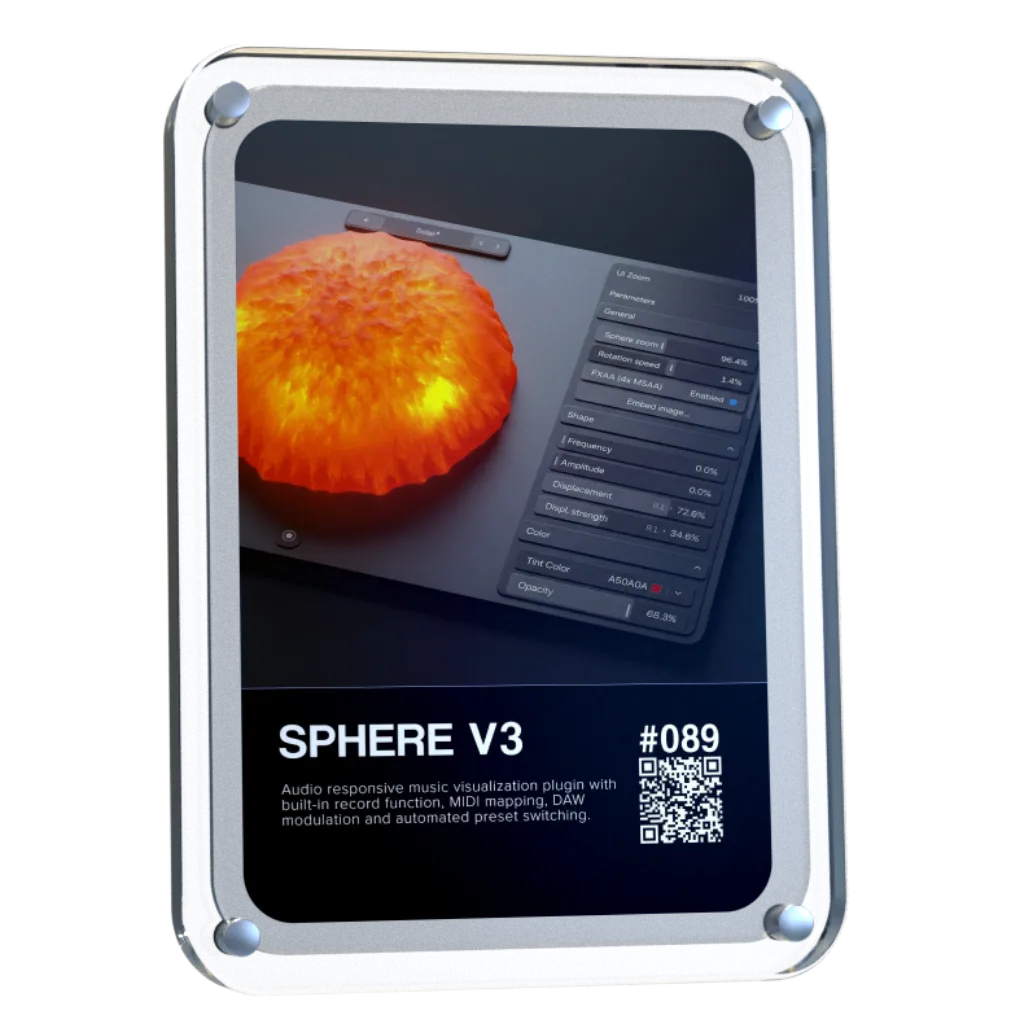


Sphere V3 transforma tu audio en un entorno visual vivo que reacciona en tiempo real a cada frecuencia, movimiento y detalle de tu música. Desde movimientos sutiles hasta actuaciones totalmente sincronizadas, Sphere te ofrece una nueva forma de disfrutar de tu sonido.


Divide tu audio en bandas de frecuencia independientes y arrastra y suelta los modificadores sobre parámetros visuales como el zoom, el desplazamiento, el color, el movimiento y mucho más. Sphere V3 te ofrece un control preciso sobre cómo responden los efectos visuales a tu música.
✅ Asignación
de moduladores mediante arrastrar y soltar ✅ Hasta 8 modificadores
selectivos de frecuencia ✅ Asignación de LFO y MIDI para DAW disponible

Asigna los LFO a parámetros visuales e introduce un movimiento continuo que evoluciona de forma independiente del audio. Crea con facilidad movimientos sutiles, modulaciones rítmicas y comportamientos visuales en constante cambio.
✅ Compatibilidad
con moduladores externos ✅ Enrutamiento
multiparamétrico ✅ Control de modulación por capas

Por fin está disponible la función más solicitada de Sphere. Graba vídeo en alta definición directamente desde Sphere y exporta contenido listo para su publicación sin necesidad de recurrir a herramientas de grabación externas.
✅ Formatos
vertical y apaisado ✅ Velocidades
de fotogramas precisas ✅ Renderizado de vídeo de alta calidad

Sphere V3 es compatible con el control MIDI, lo que te permite ajustar los parámetros visuales directamente desde tu controlador físico favorito para disfrutar de una experiencia creativa más táctil y expresiva.
✅ Mandos, faders y codificadores
✅ Asignación
instantánea de parámetros ✅ Interpretación en directo con Live Set

Guarda tus configuraciones visuales favoritas e integra tu propia imagen de marca directamente en la interfaz de usuario. Sphere V3 crea diseños que transmiten una imagen coherente e inconfundiblemente tuya.
✅ Variaciones
ilimitadas de preajustes ✅ Compatibilidad
con logotipos y material gráfico ✅ Activación de preajustes con un solo clic

Sphere V3 se adapta a tu sistema gracias a sus ajustes de renderizado configurables, lo que te ofrece la flexibilidad de dar prioridad al rendimiento, a la fidelidad visual o al equilibrio perfecto entre ambos.
✅ Densidad
de malla ajustable ✅ Resolución
de renderizado ajustable ✅ Renderizado sin pérdida de calidad de audio


Sphere V3 funciona como un complemento dentro de tu DAW y está diseñado para integrarse a la perfección con tu sistema y tu flujo de trabajo actual.

VST3 de 64 bits

AU de 64 bits, VST3 de 64 bits

Versión para Windows en Wine + conexión de VST3 con Yabridge

No se necesita ningún dispositivo físico de autenticación
Nuestros plug-ins deberían funcionar con cualquier DAW compatible. Los probamos con los siguientes programas:


Overall rating: 4.8 / 5 from 647 reviews.
I’m so glad I bought this plugin. 😄

Swings like nothing else 😍

AMAZING COURSE, I´VE LEARNED A LOT OF THINGS AND TECHNICS. I REALLY LOVE IT. THANKS ERIK FOR YOUR KNOWLEDGE!

bonn materiel super de sortir de bon vst minigrid

I love all the different movements and colors. I add sphere v3 to each one of my projects now as a visualizer. What I think would be a really cool update would be different shaped to mess with pyramids, cubes, etc. great work so far. I really dig it.

And I also have to say this now that I’ve had the chance to experience Zensphere V2 myself: **this synthesizer is simply divine.** I am genuinely amazed by its sound. There is such a beautiful warmth, depth and character to it that it truly feels like I am listening to real hardware rather than just another software instrument. That warm, analog-like hardware character is exactly what I had been searching for for so many years. The sound feels alive, rich and incredibly musical. Every time I play it, I just want to keep playing and creating. So once again, thank you — not only for your incredible generosity, but also for creating such a beautiful instrument. Zensphere V2 is truly something special. ❤️🙏

Je passe de trés bons moments avec... sà me fait gagner énormément de temps em studio. merci ;o)
Everything Bundle + FREE Zensphere V2

Amazing plugin!!!

Super!

Super!

a great product : You have put the finger in a rabbit hole as the possibilities are endless like as proven by Touchdesigner. This fills a gap of : . VST video plugins for sync to audio . easier programing than other plugins. Improvement points : . more "canvasses" . sharper reactive engine.

You know you've found the right synth for you, when its patches instantly inspire you to create. Well done, Zensphere rocks.

Putting Zensphere 2 to the test.The creator asked for a honest look, so I built a video that gets straight to the point: letting the sound do the talking. In Part 1, I dive into an Ableton session, loading up an Arp. Synths and a Pad using Zensphere 2. You can immediately hear how those multi-sampled analog layers and new processing options translate into a live arrangement. In Part 2, I switch over to a direct A/B comparison against the official release version. No over-explaining needed, just listen closely to how the warmth, texture, and mix-ready nature hold up. Check out the video to hear the difference for yourself.

I am always looking for the sounds that make a Track different and memorable, and putting it in genre's they have not been used in before to see what I can come up with... This Vsti is unique and user friendly ...A must for any in the box producer that can't afford the hardware tools.

I love this product! It was super easy to setup and the midi clock between my daw and mpc key 37 is super tight!!

I already had the first version of Zensphere, and frankly it was already excellent for what I intend to do in my music, but this second version is out of this world! Just the fact that we can raise the modulator wheel is a huge plus, but when we start exploring the filters and reverb, we quickly realize it's much more than just a VST. And together with the DNA Suite, everything becomes easier, more intuitive, and sounds amazing.

I just love it! Omniclock is so easy to use everything is in sync and the different algorithms breath life into any machine that’s to tight. In this case I’m using it on my LXR-02 and it make its sound even better than it does by it self anyway. Great plugin!

I wasn't very hopeful with Omniclock. However, I'd been having timing issues with my Virus TI2, so I thought I'd try it out. Well, it not only improved the TI2's timing but it also made my TD-3 sync it's internal clock instantly with my DAW, which it did not do before. Thank you again.

Anyone who syncs hardware synthesizers with a DAW knows the problem: MIDI jitter, latency, and imprecise synchronization that simply lacks groove. It usually just wastes time and frays your nerves. Omniclock offers a radical solution, setting new standards for timing precision. The Omniclock plugin converts imprecise MIDI timecode into an absolutely stable, sample-accurate audio signal that serves as a clock source. The result is rock-solid synchronization that remains steady even in complex setups. Once you’ve heard the difference between a standard MIDI connection and the razor-sharp timing of Omniclock, you’ll never want to go back. Its clear layout lets you achieve perfect results in seconds. Plus, Omniclock offers immense creative potential thanks to a host of integrated patterns from legendary machines—all accessible with a single click. As far as I know, there is nothing else like it on the market, and for that reason alone, this pioneering work deserves five stars. Highly recommended!

Zensphere V2 is an incredibly creative tool and an absolute must-have for any producer who values authentic analog textures. The absolute core feature of the Zensphere V2 is its incomparable sound character. It brings the punch and premium warmth of a dream analog studio straight to your computer, all within a fast, modern workflow. The sounds are perfectly "mix-ready" right out of the box—they cut through the arrangement immediately, without the need for hours of tweaking with EQ and compression. The visual appearance and interface design (available in either light or dark mode) also deserve high praise. Zensphere V2 is pleasantly uncluttered and by no means overloaded. This masterpiece comes highly recommended and earns a well-deserved 5 out of 5 stars!

What a great update. Loving the visuals, soooo good, tried on a ceiling projector as limited for space in here and decided to make a pepper ghost, why not😜 version 1 , gonna need a bigger dome. Go big or go home. It’s just a joy to have and watch whilst making music and getting the vibe. Would be a great addition if you could fit to screen and maybe lose the white bar at the top 👍

I followed my intuition and put it on black buy purchasing the DNA suite and an AKAI APC40mk2. At first I thought what have I done, it was overwhelming, I have a lot of Ableton experience but in arrangement mode. After a few nights the penny started to drop and the shear power of this system begun to make sense. By Friday (purchased Monday) I was able to live jam and arrangement and record and edit the timing and automation plus add parts after the bulk was done. All I can say is wow, thank you for sharing your knowledge and being generous too

No delays, no issues with sync, everything works like a charm!

We needed a rock-solid, cost-effective solution for syncing all the different hardware in the live setup (which is usually a big hassle) for our Saturday Synth Club jam sessions, and Omni Clock works very well, and having all those extra swing flavours is the icing on the cake.

Nice vibe when jamming in Ableton and can have flubber dance along. Would be improved with a 2d option and being able to set an LFO style modulator rather than purely sound reactive.

Incredibly, it has become a source of inspiration. I've always liked visualizing the music I make in my mind. Now I can see it and even find inspiration in the shapes it creates when reacting to the music. The Lagoon preset is by far my favorite. I wish it had an option for auto-resizing with a double-click on the bar, but it's not a deal-breaker.

I already had the Infinity Bundle and I was having a lot of fun experimenting with new sounds, however something told me it was time for something more and the path would inevitably lead to the DNA Suite. It turned out to be far beyond what I could have expected. It's not at all beginner-friendly, but it has excellent support. From Erik's videos explaining how to map the MIDI controllers and what each one does, to José's patience (the brains behind Omniclock). Now I just focus on letting my imagination run wild and then having fun experimenting a thousand ways to play all the elements until they become a whole. I find myself spending hours playing with little more than a kick, bass and lead because the rest flows naturally. This is a method I wasn't at all familiar with, but it quickly became part of the process.

great evolution for Sphere

It would be very useful if Sphere V3 could be triggered directly from Ableton’s transport, so recording always starts at exactly the same position. This would make it much easier to create multiple visual versions and align them later in any video editing software.

It solves some major sync problems I was having and saved me a bunch of money on hardware solutions. Tried various things but by far this is the best. Great product !!!

Producing music using the mixing and mastering architecture in the Rapid Flow Ableton templates has resulted in 20+ years of learning and practice finally clicking into place. In addition to writing new material - it turns out that ideas I was coming up with a long long time ago already had what it took from a creative and musical point of view - they just weren’t balanced correctly or powerful enough. I could always hear and feel they were lacking in some way but couldn’t articulate why or understand how to bridge the gap - so I continued to add more and more channels and complexity until eventually the simplicity and key messages of a track would become buried under a cluttered, muddy wall of sound and I would give up working on it. Revisiting these projects one by one, passing them through the Rapid Flow templates and stripping them back to the original idea is exorcising years of artist angst and helping me realise assets I’ve been sat on for a very long time. Thanks Erik and Daniel - your kindness and willingness to share this information and workflow has been instrumental in helping me arrive at a point with my music that I’ve dreamed of attaining for many many years.

The Flow Collective course covers a wide range of fundamental concepts related to mixing and mastering while providing a clear structure for how to progress from an initial idea to a finished track. The DNA Suite serves as the foundation template and includes so-called channel strips, where individual components such as kick, bass, harmony, etc. can be refined and adjusted until they fit perfectly into the overall mix of the project. The two instructors, Erik and Daniel, have an incredible depth of knowledge and present the material at a very enjoyable and easy-to-follow pace. Whether you are a beginner or an advanced electronic music producer, there is something valuable for everyone in this course. Although the course was time-intensive, I learned more during these three months than I did in the previous three years. I can highly recommend this course to anyone who wants to dive deeper into the world of electronic music production!

I was actually on the fence whether the Flow Collective was for me or too advanced. It was immediately obvious from the start that it was exactly for me, drawing on years of experience and genuine musical passion. Erik and Daniel’s approach finds a balance that everyone from minimal music production time through to those releasing their work are going to learn a huge amount, and will find genuinely inspiring new ways to take their music forward faster, and with more fun and creativity. This amount of knowledge in one place is priceless, and joining a growing community of similarly inquisitive producers has opened my eyes and ears to possibilities.

I’ve done countless masterclasses, courses, and tutorials over the years, but nothing has clicked with me like this. From the moment I discovered the Rapidflow concept, I was hooked. The setup is incredibly addictive — with just a few tracks, you can instantly create a vibe and feel inspired. What truly makes The Flow Collective and DNA Suite special is Erik and his team. The amount of knowledge, support, and genuine passion they share is next level. I finally solved issues in my own setup that I’d struggled with for time, and the whole experience felt personal, supportive, and inspiring throughout. We were all genuinely sad when it ended, which says everything about the community they created. Massive credit to the whole team. Viva la Flow Collective 😀

the flow collective provides unparalleled value for money. Without doubt the best money I've ever spent music production. It improved my music way more than a new piece of gear/ synth or vsts ever could. The after sales service is second to none as Erik and his team are ready on discord to answer any questions or queries you might have

Something truly extraordinary I can't stop myself 😁

What a difference that made! It's truly amazing how much more powerful the sound became!!!

To be honest, I only tested the template with my vast collection of VSTs, and it already made a very positive impression. Something told me that the path forward would involve products from the RapidFlow store. I haven't started the Masterclass yet because I immediately realized I would need much more information, and for that reason, I'm watching numerous videos that Herik has on YouTube. One that I found particularly important addresses the use of controllers like the Akai APC 40 mkII and Akai Midimix, which will be essential to move to the next level. I will follow Herik's suggestions, but due to lack of space, I will opt for the Akai Midimix in the first phase, and then I will opt for the Akai APC Mini mkII. Thank you, Herik, for your support and advice. I am very satisfied, and I have barely begun this new phase of this already long journey that has brought me so many good moments.


At first I thought why buy this plugin but then I decided to look further and look at these Templates and due to the fact it was on sale I decided to purchase it and I must say that the team did a good job creating this Template, I even got it to work with the APC-64! Good job and well done!! Thank you 👍

