


Legendary sound.
Killer drum machines, recorded through high-end analog gear. Ready to use, no tweaking.
Meet the machinesLegendary sound. Unbroken momentum.
Drum sampler. Sequencer. Legendary library
Iconic drum machines, mix-ready from the first hit. A sequencer that keeps up with every idea.

Rapid Flow is used by 18 Grammy-recognised artists
One-time payment
Building drums from scratch eats the session. By the time they work, the idea is gone.
The usual way
With drumGRID
Killer drum machines, recorded through high-end analog gear. Ready to use, no tweaking.
Meet the machines
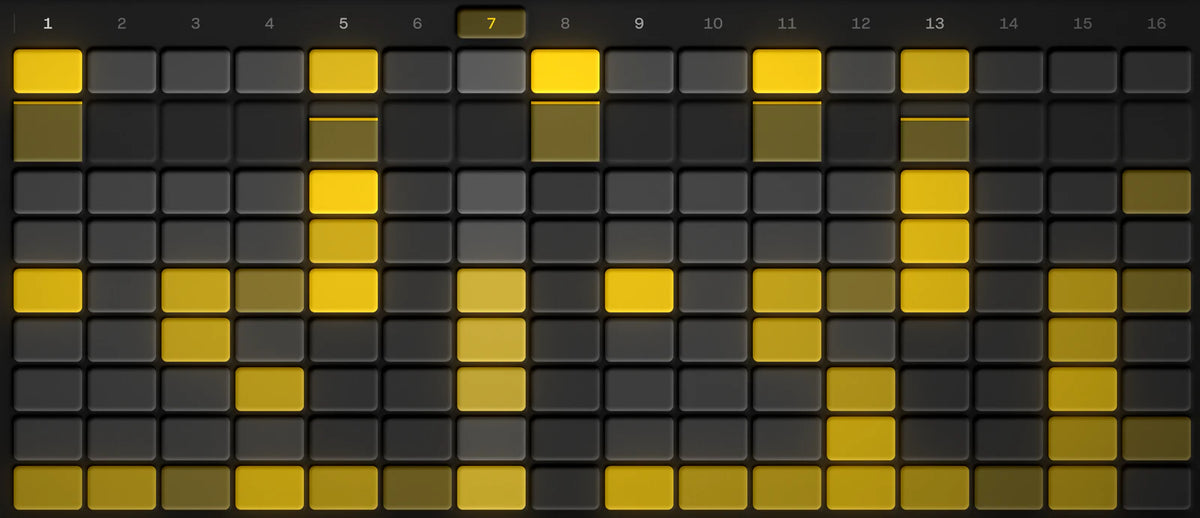
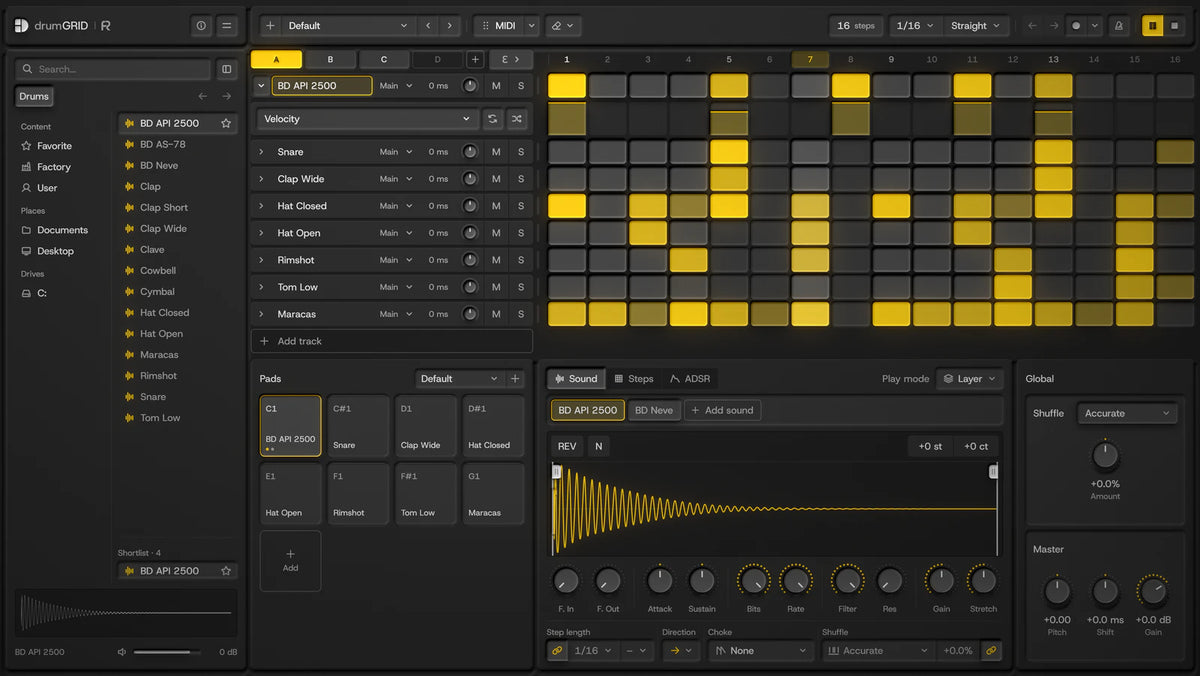
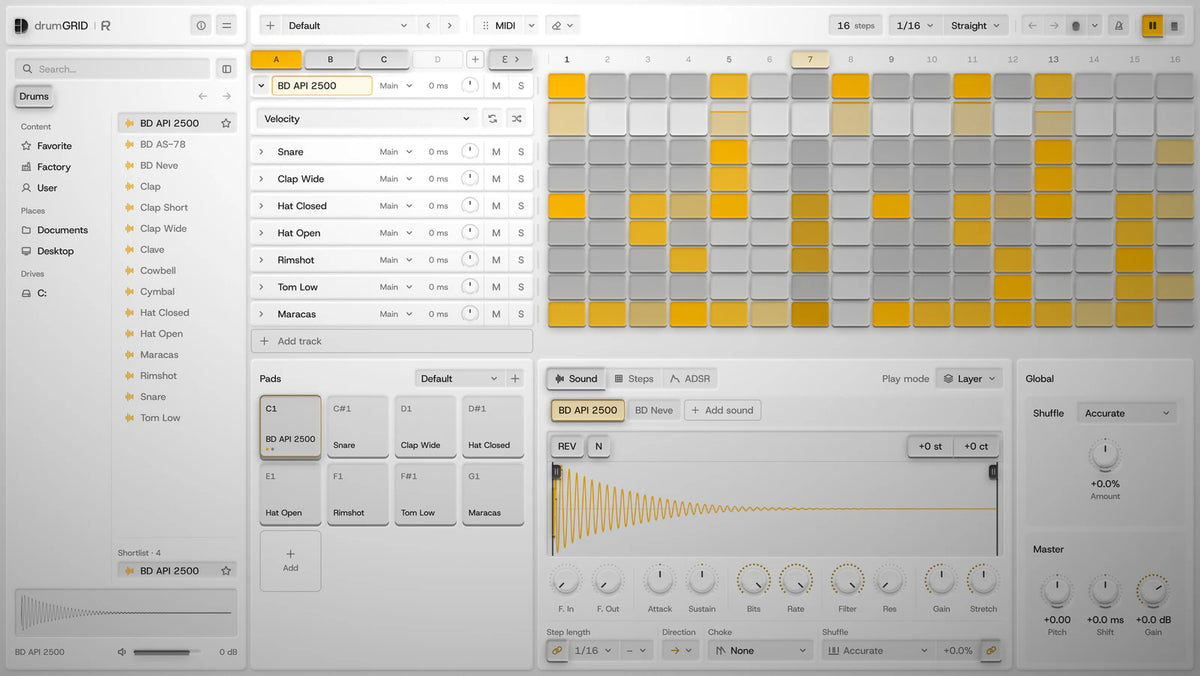
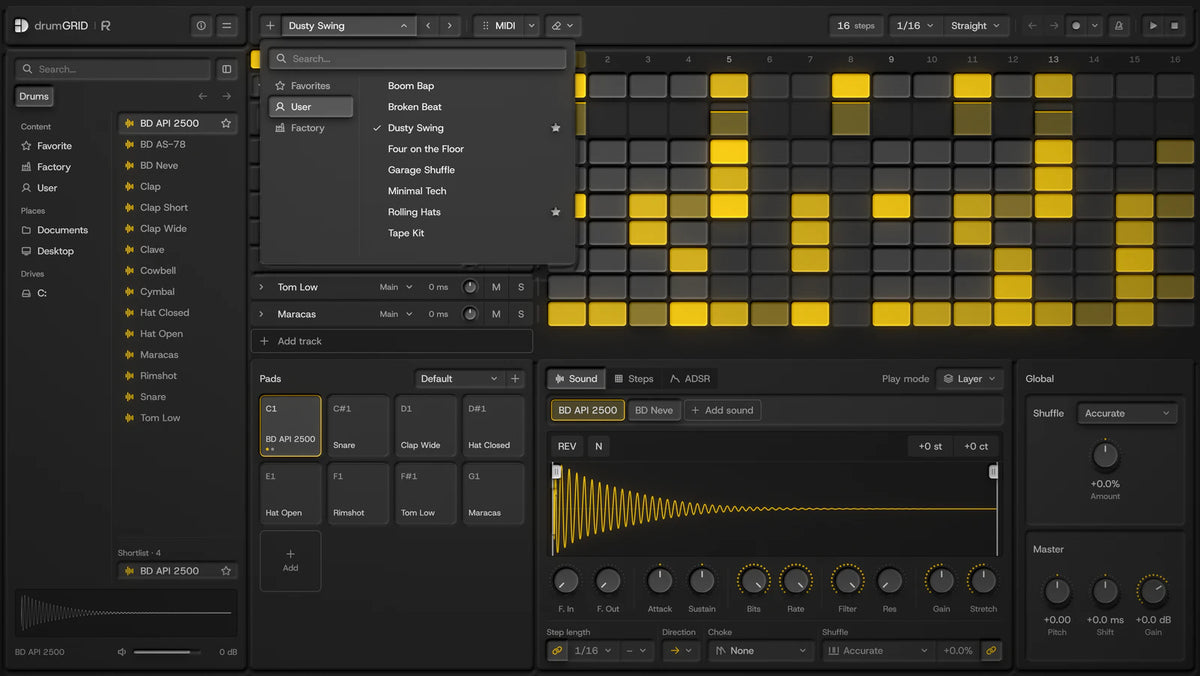
Pick a sound, tap in the steps, add repeats, press play. No menus between you and the idea.
See the sequencerNew machines keep landing in the library over the coming months.
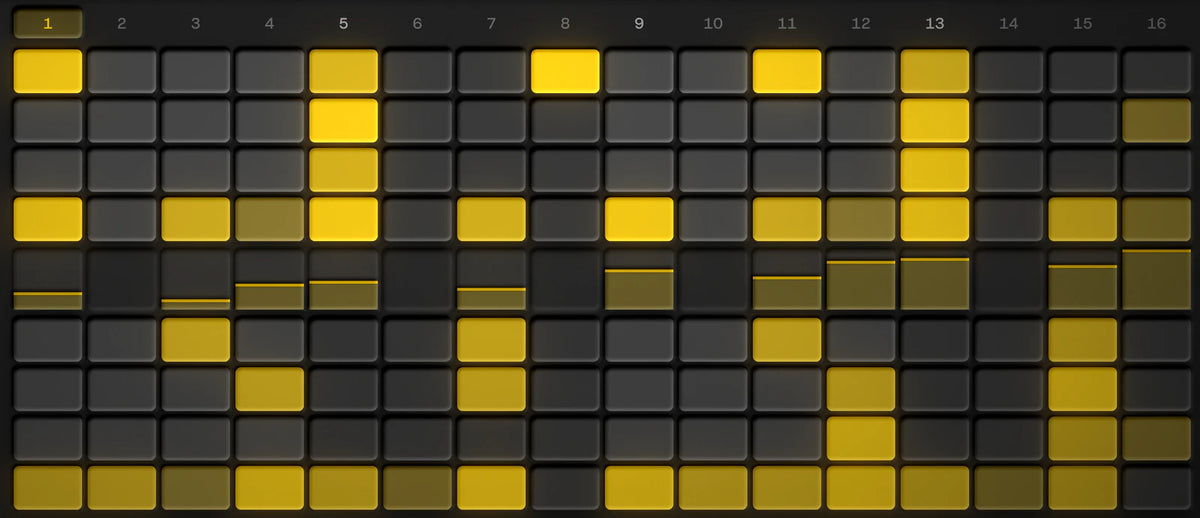
Hear every sourceAccurate, or 7 shuffles inspired by legendary drum machines. Pick one and watch the off-beats move.

How far the steps move is an illustration, not the real timing.
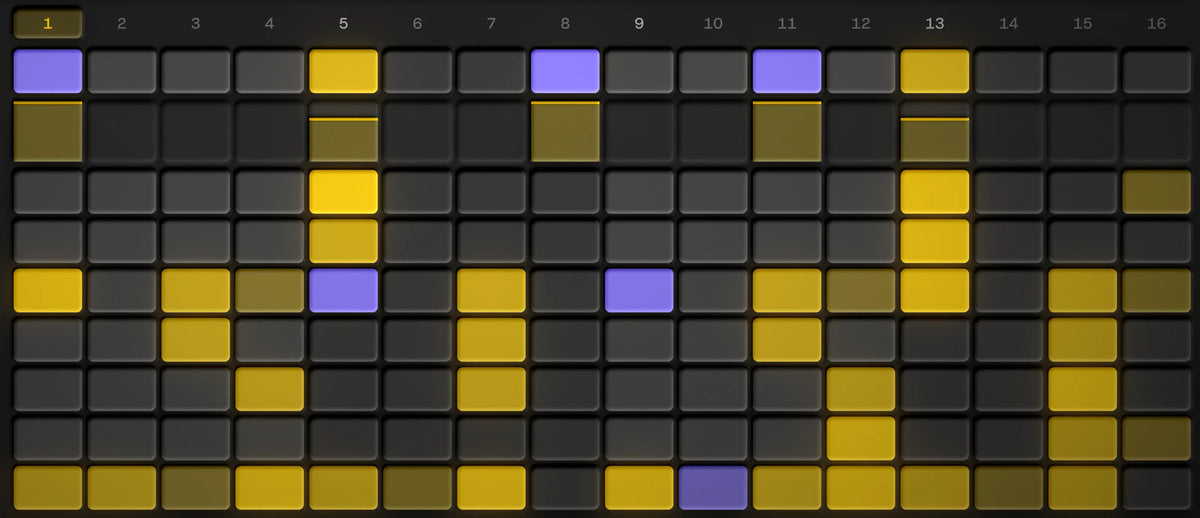
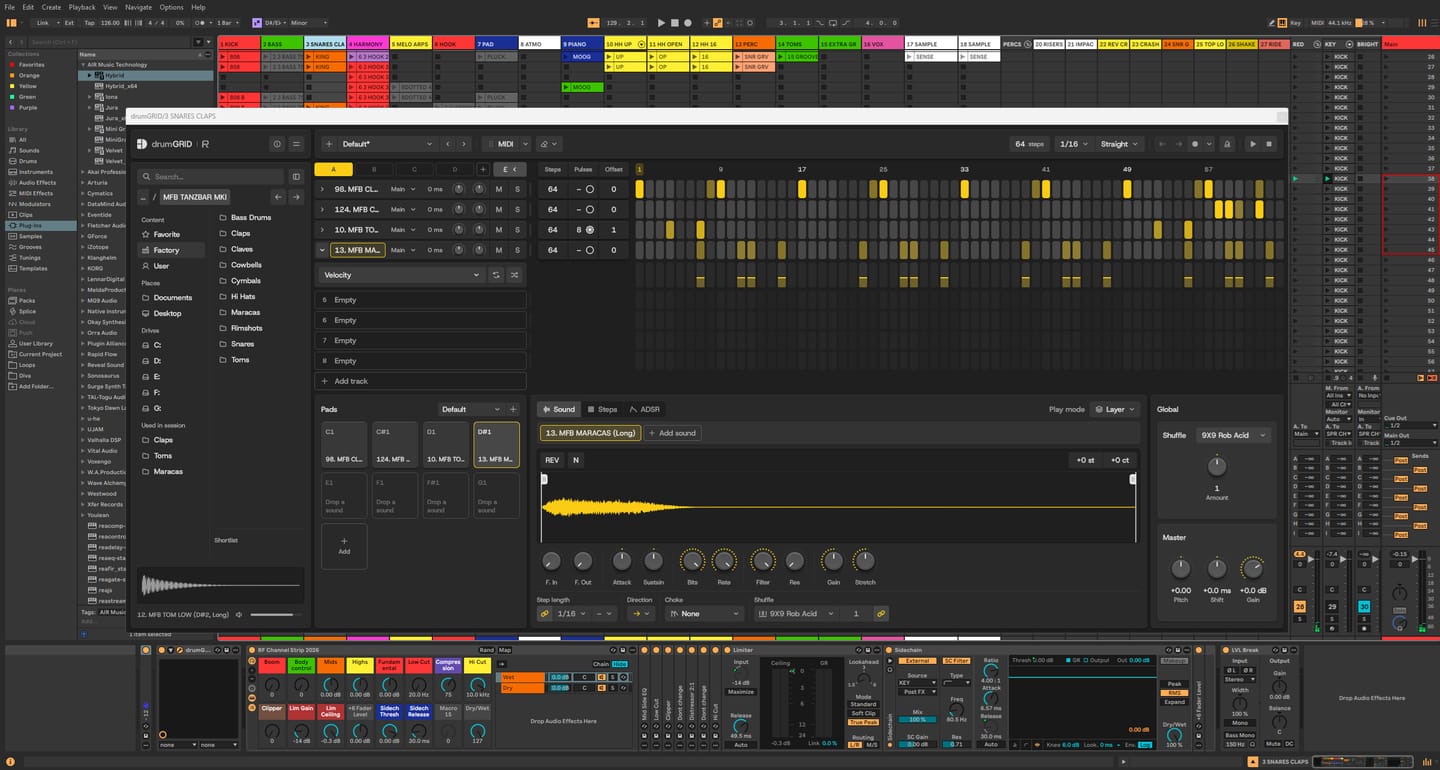
Click steps in, step-record from your MIDI keyboard or play it in live. Each track can run its own length and direction, and the pattern drags into your DAW as MIDI.

Every track has its own lanes. Draw values step by step, randomise them, or select steps across tracks and edit them together
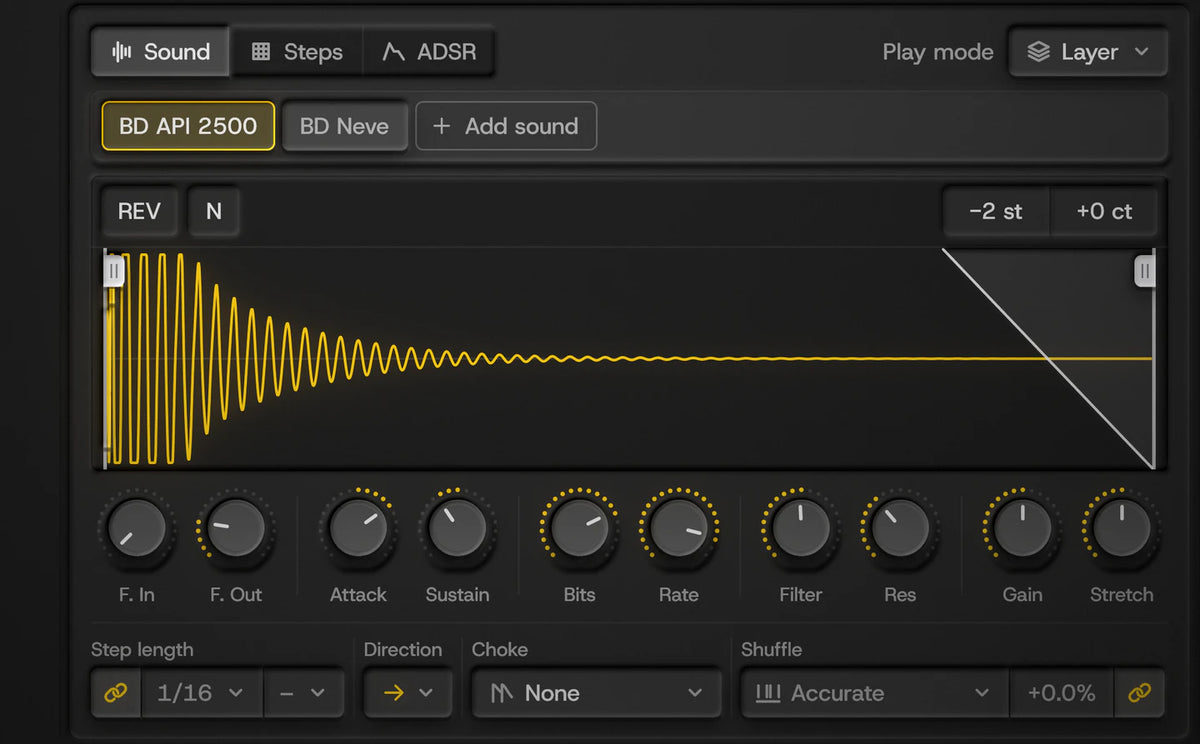
Up to 8 sounds per pad, each with a full sampler.
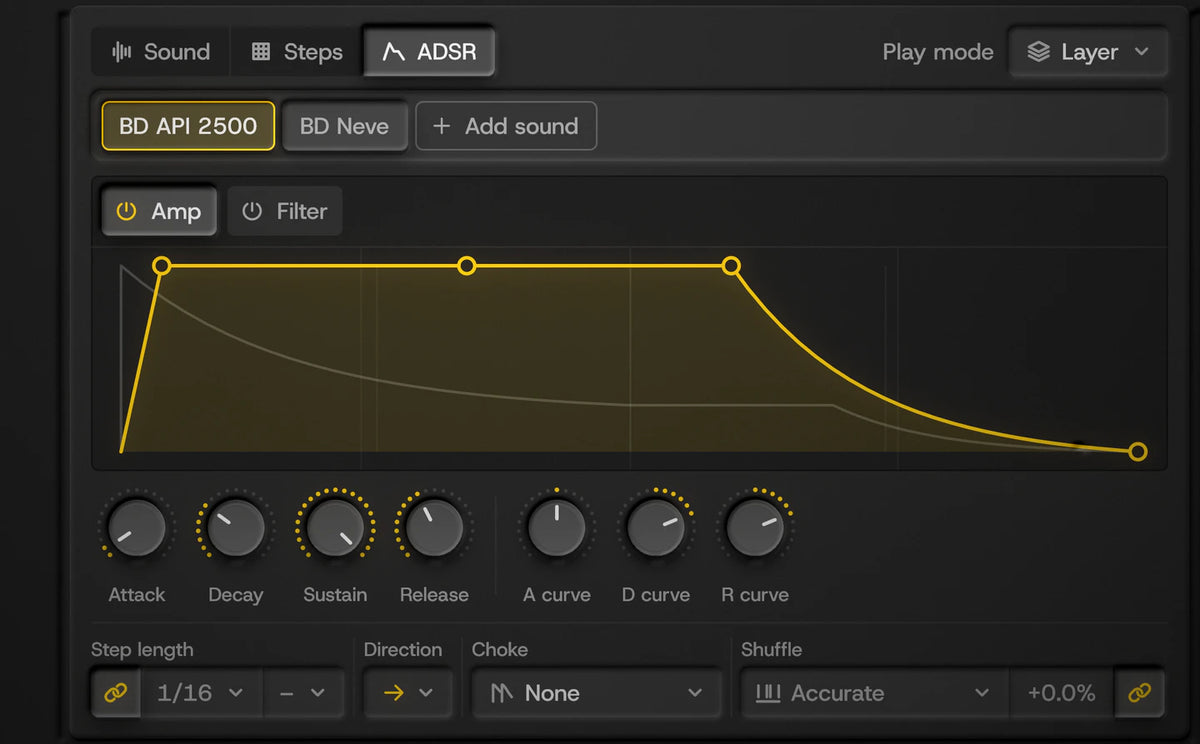
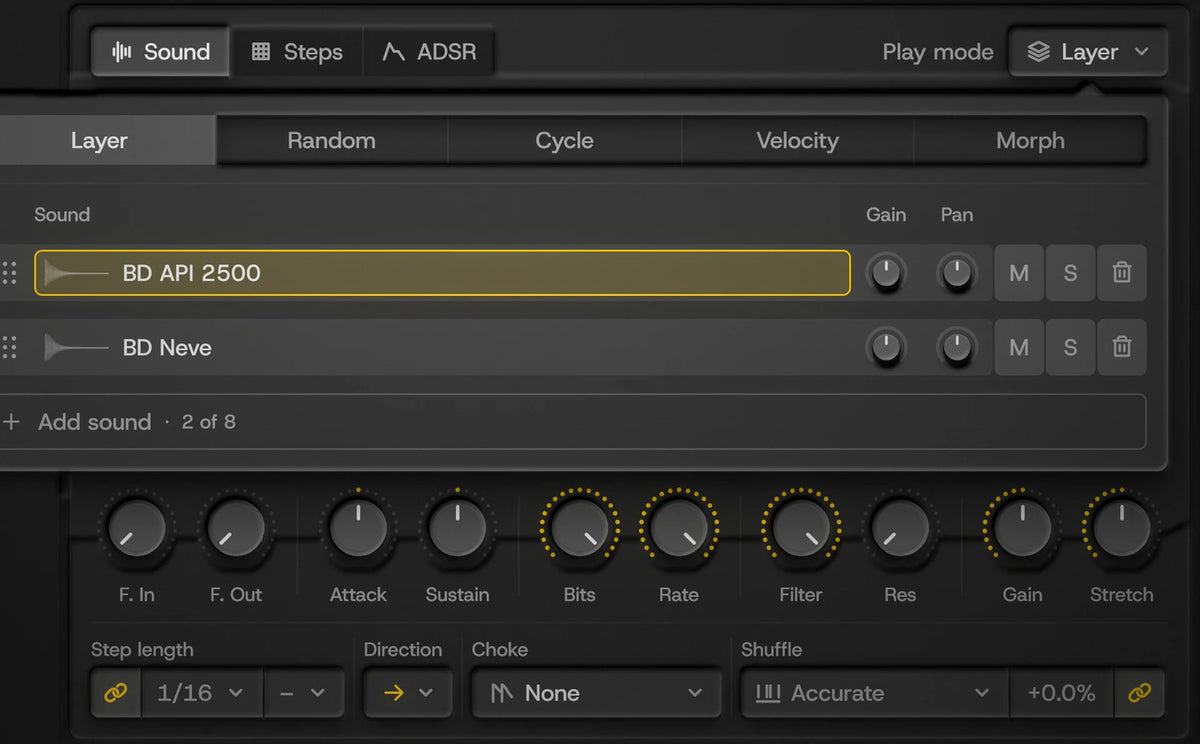
Every sound in the library was recorded from one of these. The tagged ones arrive in updates.

Analog drum machine

Analog drum module

Analog drum expander, 808-type

Bass-lead & drum generator

Percussion synth

Analog drum synth

Drum machine

Analog drum machine

Analog drum machine

Analog drum machine
Hear each machine, then see how every sound was recorded.


 Final quality check by Daniel Söderberg, Earthbound Mastering
No compression or EQ inside, on purpose. Send each pad to its own DAW track and use the plugins you already own.
Verified reviews from drumGRID buyers.
 drumGRID
LOVE drumGRID it is my go to for drums! I have made it my personal favorite Drum plugin! I have many drum sequencers & they are all good! drumGRID beats them all IOP, It does what they do! And is done better overall it is Excellent I only have a few suggestions for improvements that I think will improve the workflow! The first would be that the Grid of the sequencer should be able to zoom in & out to reveal the entire pattern space & also the plugin should be resizable & be able to keep everything to scale according to size!& some things can maybe fold to save real estate screen space so more can be shown elsewhere & the linking Patterns feature can be clearer to setup but overall still my favorite drum & drum sequencer plugin instantly became my go too! Much Appreciated RapidFlow The entire plugin is great for building drums & patterns & grooves!
drumGRID
It's beyond what I expected. I'll tell who ever is interested to just get on with it. please don't waste anytime, You won't regret it
 drumGRID
These guys really know how to make a software drum machine feel like hardware! You can hear how much care has gone into the factory sounds - everything feels thoughtfully chosen and fine-tuned. The grid layout makes programming a killer drum groove so much more enjoyable, and ideas seem to come together effortlessly. Add a great UI and a rock-solid feel, and you’ve got a plugin that’s an absolute joy to use!
 drumGRID
I’m having a blast! The quality of the sound samples is phenomenal, allowing me to get the absolute best out of my music. omniGIRD is fantastic, but drumDRID is out of this world!! Even my M-Audio Studiophile AV 40s sound like professional-grade speakers.
drumGRID
Of course it was a mega price for those sounds and I think it s a super squencer, but as I said, there is left some factory patterns to get help of a new feeling
drumGRID
Genauso habe ich mir eine virtuelle Drummachine immer gewünscht. So simpel, so effektiv. Vielen Dank für das tolle Produkt!
drumGRID
Check out my reviews and tracks of Rapid Flow instruments and FX on David Thom Creations YouTube channel
drumGRID
Drumgrid proved to be a really useful tool to create your drum rythm section quickly. And you’re not limited to factory sounds only but you can use it in combination with any drum sound source like GrooveAgent for example.
drumGRID
I find drumGrid very intuitive and easy to use even as a beginner bedroom producer.
drumGRID
Great value
 drumGRID
merci se le meilleur vst drum bravo a toi merci
drumGRID
Sounds amazing and a real time saver.


drumGRID plays drum samples. omniGRID sends MIDI to your instruments.
Yes, royalty-free: releases, streaming, sync and live. You can’t resell the sounds.
Yes. drumGRID is part of the Omega Bundle.
Classic drum machines sampled through high-end analog gear, with 500 to 1,000+ hits per machine depending on how much each one has to offer. The MFB Tanzbär MK I, for example, has over 1,000 hits. Every hit is hand-picked by ear and recorded at 96 kHz / 24-bit. The library includes the MFB Tanzbär MK I, Vermona DRM1 MK IV, 8RAW8 (808-type), Cwejman BLD, Nord Drum 3P and a Syncussion-type, with more machines arriving in free updates.
Yes. drumGRID has no built-in compression or EQ, so you can process its sounds with your own plugins. It has 16 stereo outputs: send each pad to its own track in your music software and use whatever compressors, EQs, saturation or reverbs you already have, just like a recorded drum kit. You can also send several pads, like a clap and a snare, to one output and process them together.
Yes. Step-record from your keyboard, or play patterns in live and keep them quantised or loose.
Yes. Drag the pattern onto a DAW track as a MIDI clip, or export it as a .mid file. It keeps each step's velocity, length, repeats, shuffle and shift. You can also import MIDI clips.
Yes. Drag in your own samples, kits and drum loops from your computer, set sounds aside in the Shortlist, and save your own presets. drumGRID also loads and exports Hydrogen drum kits, and drum loops with tempo information follow your DAW's tempo.
No. Every sound was recorded at 96 kHz / 24-bit and run through analog compressors, EQs and tape on the way in, so it’s mix-ready from the first hit.
Yes. A fully working 45-day trial: click Start free trial to download it. When you buy, use the same email address and the trial becomes your licence automatically.
No iLok or dongle. You can activate drumGRID on up to 5 computers you own.
Our products are digital templates, samples and instruments, delivered instantly, so they can’t be returned once downloaded. We provide a fully functional 45-day trial for our products and strongly encourage you to test it if you have any doubts before purchasing. At checkout, two checkboxes confirm you agree to our terms and want your download right away; this gives you instant access and waives the standard 14-day cooling-off period. If anything doesn’t work as expected, write to support (at) rapidflow (dot) shop and we’ll help.
drumGRID is an instrument: load it on an instrument (MIDI) track. Every pad plays through the main output. To give a pad its own track, right-click it and choose an Output (or All to own outputs), then open that output in your DAW:
Full steps for every DAW are in the drumGRID manual (PDF).
drumGRID offers many of the same features as omniGRID, including transposition, per-lane and per-note editing, randomization, and MIDI-mappable scenes, but without the scale-related functionality. It also includes a premium sound library and an easier-to-use design.

Trademark and Compatibility Disclaimer
All product names, logos, brands, and imagery of third-party hardware (such as those from Roland, MFB, Pearl, Nord, Vermona, Cwejman, Elektron, Erica Synths, AKAI, Oberheim, E-MU, Linn, or others) featured on this page are the property of their respective owners. These references and images are used solely for illustrative purposes to demonstrate suggested workflows. Use of these names and images does not imply any affiliation with, endorsement by, or sponsorship from the hardware manufacturers. Rapid Flow makes no claim of ownership over these trademarks and acknowledges that the "feel" or timing behavior described is a creative interpretation and not an official collaboration with the original manufacturers.
Photos: Roland TR-808 and TR-909 by Brandon Daniel, derivative work by Clusternote (CC BY-SA 2.0); Roland TR-606 by Midas Wouters (CC BY-SA 3.0); via Wikimedia Commons.
Avoid Hearing Damage
To prevent possible hearing damage, do not play or listen at high volume levels for long periods, whether you’re using headphones, speakers or an acoustic setup. Start at a low volume and turn it up slowly. Wear hearing protection when playing acoustic drums or in loud places. If your ears ring or sound seems muffled, stop and rest your ears.
